


Home Security Systems: South African Buying Guide
Home Security Systems: South African Buying Guide
A good home security system should do more than make a noise when something goes wrong. It should help protect your doors, windows, outdoor areas, valuables and family, while giving you clear alerts when you are away from home.
This guide explains how modern home security systems work, which features matter, and how to choose the right setup for a South African home, townhouse, flat, shop or small business. It also merges the key buying considerations from AC Direct’s previous “choosing the right home security system” guide, so you have one practical page to work from.
What Is a Home Security System?
A home security system is a connected set of devices that detects, warns and alerts when something unusual happens on your property. A basic system may include door sensors, motion detectors, a siren and a control panel. A more complete system can include cameras, smoke detection, leak detection, remote app control and smart automation.
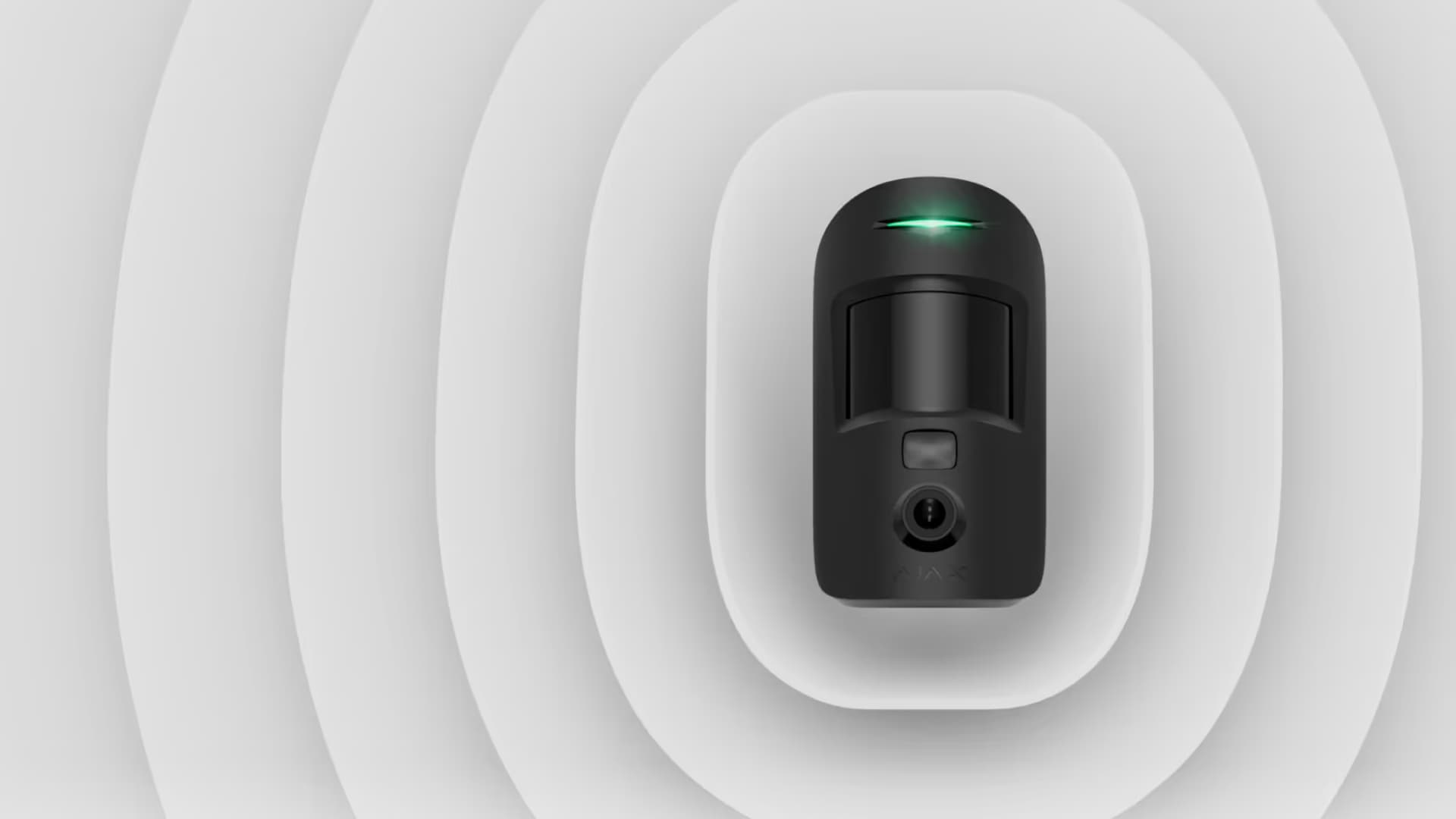
Most modern systems are built around a hub or control panel. This hub receives signals from the connected devices, triggers the alarm when needed, and sends notifications to your phone or monitoring provider depending on the setup.
The right system depends on your property, your risk level and how you want to use it. A small flat may only need door protection, motion detection and app alerts. A freestanding house may need perimeter sensors, cameras, outdoor beams and backup communication. A shop or office may need user codes, event logs, monitored response and camera verification.
Why Home Security Matters in South Africa
South African homes often need layered security because properties vary widely. A security system should not be treated as a single gadget. It works best as part of a broader plan that includes physical barriers, good lighting, strong locks, smart habits and clear alerts.
A modern alarm system helps in five practical ways:
| Benefit | Why it matters |
|---|---|
| Intrusion detection | Alerts you when a door, window or protected zone is triggered |
| Deterrence | Visible sirens, cameras and sensors make opportunistic entry less attractive |
| Remote awareness | App control lets you see alerts when you are away |
| Faster response | Monitored systems or shared alerts help get the right people involved sooner |
| Added protection | Smoke, carbon monoxide and leak sensors can warn you about non-intrusion risks |
Security is not only about burglary. Many newer systems also help with everyday risk: a garage door left open, a water leak under a sink, a smoke alert while you are out, or a gate area you want to monitor from your phone.
The Main Types of Home Security Systems
Monitored Security Systems
A monitored security system is connected to a response or monitoring service. When an alarm is triggered, the monitoring provider receives the signal and follows the agreed response process. This may include calling you, contacting keyholders or dispatching armed response where contracted.
This option is usually best for freestanding homes, businesses, holiday homes and properties where fast response matters. It may involve monthly monitoring fees, but it gives more structure than a siren-only setup.
Unmonitored Security Systems
An unmonitored system alerts you directly through a siren, app notification, SMS or phone call. You are responsible for checking the alert and deciding what to do next.
This can work well for flats, smaller homes, low-risk spaces or users who mainly want awareness rather than a full response service. The downside is that if you miss the alert, there may be no one else acting on it.
Wired Security Systems
Wired systems connect devices using physical cabling. They can be very reliable, especially in larger homes or commercial properties, but they usually require more installation work. Wired systems are often chosen during renovations, new builds or commercial fit-outs where cabling can be planned properly.
Wireless Security Systems
Wireless systems use radio communication between devices and the hub. They are quicker to install, easier to expand and neater in finished homes where you do not want new cabling everywhere.
Wireless does not mean weak. High-quality wireless alarm systems use secure communication, tamper alerts and battery monitoring. The key is choosing a reliable brand and placing devices correctly.
DIY Security Systems
DIY systems are designed for simple setup and basic protection. They may be suitable for small spaces, temporary homes or renters who need a portable solution. However, DIY systems can fall short if sensors are poorly placed, zones are not configured properly, or communication backup is missing.
For higher-risk properties, professional advice is still worth it. Placement matters as much as the product.
What Should a Good Home Security System Include?
A strong security setup starts with the most likely entry points and then adds layers around them.
Door and Window Sensors
Opening sensors detect when a door or window is opened. These are usually fitted to front doors, back doors, sliding doors, garage access doors and accessible windows.
They are important because many break-ins begin through normal entry points, not dramatic forced entry.
Motion Detectors
Motion detectors monitor movement inside a room or protected area. They are useful in lounges, passages, stairwells, garages, shops and offices.
Pet-friendly motion detectors may be available depending on the brand and model. These help reduce false alarms in homes with small animals, but correct placement is still essential.
Glass Break or Shock Sensors
Glass break sensors detect the sound or vibration of breaking glass. Shock sensors detect impact or forced movement on doors and windows.
These are useful for large windows, sliding doors, shopfronts and vulnerable external doors.
Indoor and Outdoor Sirens
A siren warns occupants, alerts neighbours and puts pressure on an intruder to leave. Outdoor sirens also act as a visible deterrent.
Siren placement should balance visibility, audibility and tamper resistance.
Cameras and Video Verification
Cameras do not replace an alarm system, but they add useful verification. If your alarm triggers, camera access can help you see whether it is a genuine threat, a pet, weather movement or a false alarm.
For businesses, cameras can also assist with staff access, deliveries, stockrooms and after-hours checks.
Fire, Smoke and Carbon Monoxide Detection
Security systems are increasingly used for life-safety alerts as well. Smoke, heat and carbon monoxide detectors provide early warnings when people may not be in the room or even at home.
These are especially useful in kitchens, garages, generator areas, workshops and homes with fuel-burning appliances.
Water Leak Detection
Leak detectors are useful near geysers, washing machines, dishwashers, bathrooms, basements and server rooms. A water leak caught early is far cheaper than a ceiling, floor or cupboard repair.
App Control and Remote Access
Remote access lets you arm or disarm the system, receive alerts, check device status and manage users from your phone.
For South African homes where domestic workers, tenants, family members or staff may need access, user management is especially useful. Instead of sharing one code, a smart system can assign different users and keep an event history.
How to Choose the Right Security System
Start with your actual property, not the most impressive feature list. A system that is perfect for a freestanding home may be overkill for a flat. A system that works for a small home may be too limited for a shop or warehouse.
Step 1: Map Your Entry Points
Walk through the property and list every realistic access point:
- Front door
- Back door
- Sliding doors
- Garage access door
- Ground-floor windows
- Balcony doors
- Courtyard gates
- Roof access points
- Shopfront entrances
- Storeroom doors
This helps you decide where opening sensors, motion detectors and cameras are needed.
Step 2: Decide What You Want the System to Do
Different users need different outcomes.
| Need | Recommended focus |
|---|---|
| Basic intrusion protection | Door sensors, motion detectors, siren and app alerts |
| Family home protection | Perimeter sensors, indoor motion, smoke detection and remote access |
| Small business security | User codes, camera verification, monitored response and stockroom coverage |
| Rental property | Wireless devices, simple app control and minimal wall damage |
| High-value property | Layered perimeter, cameras, monitoring, backup communication and professional design |
Step 3: Choose Wired, Wireless or Hybrid
A wireless system is usually the most practical choice for existing homes because it is neat, expandable and quicker to install. Wired or hybrid systems may suit larger properties, renovations or businesses with existing cabling.
The right answer depends on building layout, wall materials, device distance, aesthetics and budget.
Step 4: Consider Monitoring and Response
Ask whether you want the system to alert only you, or whether you need third-party monitoring and response.
An app-only system gives control and lower ongoing cost. A monitored system adds monthly fees but may give better response structure, especially when you are travelling or managing a business.
Step 5: Plan for Backup Power and Connectivity
Security systems should continue working during power failures. Check whether the hub has battery backup, whether devices are battery-powered, and whether the system can communicate if Wi-Fi drops.
For stronger reliability, many systems use more than one communication channel, such as Wi-Fi plus cellular backup. This is especially useful for businesses and larger homes.
Step 6: Check Installation, Monitoring and Maintenance Costs
Before buying, confirm the full cost of the system, not only the device price. Some systems are simple app-based setups, while others may need professional installation, monthly monitoring, armed response, extra sensors, camera storage, replacement batteries or service checks.
For a basic home, the right choice may be a wireless system with app alerts and room to expand later. For a larger property or small business, monitored response, camera verification and professional installation may be worth the extra cost because the system has to work reliably when no one is there to check the alert.
Ask these questions before choosing:
- Is installation included or quoted separately?
- Are there monthly monitoring or app subscription fees?
- How often do batteries need to be replaced?
- Can extra sensors or cameras be added later?
- Who supports the system if a device stops communicating?
- Is camera storage local, cloud-based or subscription-based?
- Will the system still alert you during power or internet interruptions?
Wireless vs Wired Security Systems
| Feature | Wireless system | Wired system |
|---|---|---|
| Installation | Faster and less invasive | More labour-intensive |
| Best for | Existing homes, flats, rentals, upgrades | New builds, renovations, larger sites |
| Expansion | Easy to add devices | Can require extra cabling |
| Appearance | Neat, minimal trunking | Neat if planned during construction |
| Maintenance | Battery checks required | Less battery maintenance |
| Reliability | Strong with quality equipment and correct placement | Very strong when installed well |
Wireless systems are often the better fit for modern homes because they are flexible and clean. Wired systems still have a place in larger or more complex properties where permanent infrastructure is preferred.
Smart Security and Automation
Security systems are no longer limited to alarms. Depending on the brand and devices selected, a smart security setup can connect with lighting, locks, cameras, gates, climate control and app-based routines.
Examples include:
- Switching on lights when motion is detected
- Receiving a phone notification when a door opens
- Checking camera footage after an alarm trigger
- Arming the system remotely after leaving home
- Creating separate user access for staff or family
- Getting alerts for smoke, leaks or tampering
Automation should support security, not complicate it. Keep the most important actions simple and reliable: arm, disarm, alert, verify and respond.
For a brand-specific option, read our Ajax alarm systems guide.
Common Mistakes When Buying a Security System
Buying Too Few Sensors
A siren and one motion detector are not enough for most freestanding homes. If doors and windows are not protected, the system may only detect movement after someone is already inside.
Ignoring Outdoor and Perimeter Risks
Outdoor beams, gate monitoring and garage protection can add valuable early warning. This is especially useful on larger properties where the house is not the first point of access.
Relying Only on Cameras
Cameras are excellent for verification, but they are passive unless someone is watching them. A proper alarm system detects activity and triggers an alert.
Forgetting About Backup Power
If your system only works while mains power and Wi-Fi are up, it is not resilient enough. Choose a setup with backup power and suitable communication options.
Not Planning User Access
Families, staff, tenants and businesses often need different access levels. A good system should make user control simple, traceable and easy to update.
Installation and Maintenance
A security system only works properly if devices are positioned correctly. Poor sensor placement causes false alarms, missed detection and frustration.
Professional installation is recommended when:
- The property has multiple buildings or levels
- You need monitored response
- You have outdoor detection zones
- You want camera integration
- You are protecting a business
- You need a neat, permanent installation
Maintenance is usually straightforward but important. Batteries, communication links, sirens, sensors and app access should be checked periodically. If a device reports a low battery or tamper warning, deal with it quickly.
For installation guidance, read why using a certified installer matters.
Internal Links
- Browse alarm systems
- Ajax alarm systems from AC Direct
- Why using a certified installer matters
- Submit a product enquiry
FAQ: Home Security Systems in South Africa
What is the best home security system for a house?
The best home security system for a house is one that protects the main entry points, gives clear alerts, and suits the property layout. For many South African homes, that means a wireless or hybrid alarm system with door sensors, motion detectors, a siren, app control and optional camera verification. Larger properties may also need outdoor beams, monitored response and backup communication.
Are wireless home security systems reliable?
Yes, good-quality wireless home security systems are reliable when they are correctly installed and maintained. The key is choosing a reputable system with secure communication, tamper alerts, battery monitoring and suitable range for the property. Thick walls, long distances and poor placement can affect performance, so larger homes may need professional layout planning.
Do I need professional installation for a home security system?
Professional installation is recommended if your property is large, high-risk, commercial, or includes outdoor sensors and cameras. Smaller DIY systems can work for flats or simple layouts, but professional installers are better at placing sensors correctly, reducing false alarms, setting up zones and testing communication. Correct installation is often the difference between a system you trust and one you ignore.
What should a home security system include?
A home security system should include door and window protection, motion detection, a siren, a control hub and a reliable way to alert you. Depending on the property, you may also add cameras, smoke detectors, leak detectors, outdoor beams, remote app control and monitoring. Start with the most likely entry points, then add extra layers where the risk is highest.
Are home security systems worth it?
Yes, home security systems are worth it if they are matched to the property and used consistently. They help detect intrusion, deter opportunistic crime, alert you when something happens and give better visibility when you are away. The value is highest when the system forms part of a broader plan that includes strong locks, lighting, sensible routines and regular maintenance.
Help Article: How to Choose the Right Home Security System
Short-form guide | 3 min read | Category: Product Help → Security
Choosing the right home security system starts with your property layout, not the product catalogue. A flat, townhouse, freestanding home and business all need different levels of protection.
Quick checklist
- Count your entry points. List doors, sliding doors, accessible windows, garage doors and gates.
- Decide what you need to protect. Family safety, valuables, stock, equipment, vehicles and outbuildings may all need different coverage.
- Choose your alert type. Decide whether you want app-only alerts, a siren, monitored response, or a combination.
- Pick wired, wireless or hybrid. Wireless is usually best for finished homes. Wired may suit new builds, renovations or businesses.
- Add cameras only where they help. Cameras are useful for verification, but they should support the alarm system rather than replace it.
- Plan for power and connectivity. Make sure the system has backup power and suitable communication if the Wi-Fi or mains power drops.
- Think about future expansion. Choose a system that can add extra sensors, cameras or smart devices later.
Best starting setup for most homes
For a typical South African home, start with door sensors, indoor motion detectors, a siren, app control and backup power. Then add outdoor detection, cameras, smoke detection or leak detection if your property needs it.
Related: Full home security systems guide | Browse alarm systems