


Ajax Alarm Systems: Wireless Security Guide
Ajax Alarm Systems: Wireless Security Guide
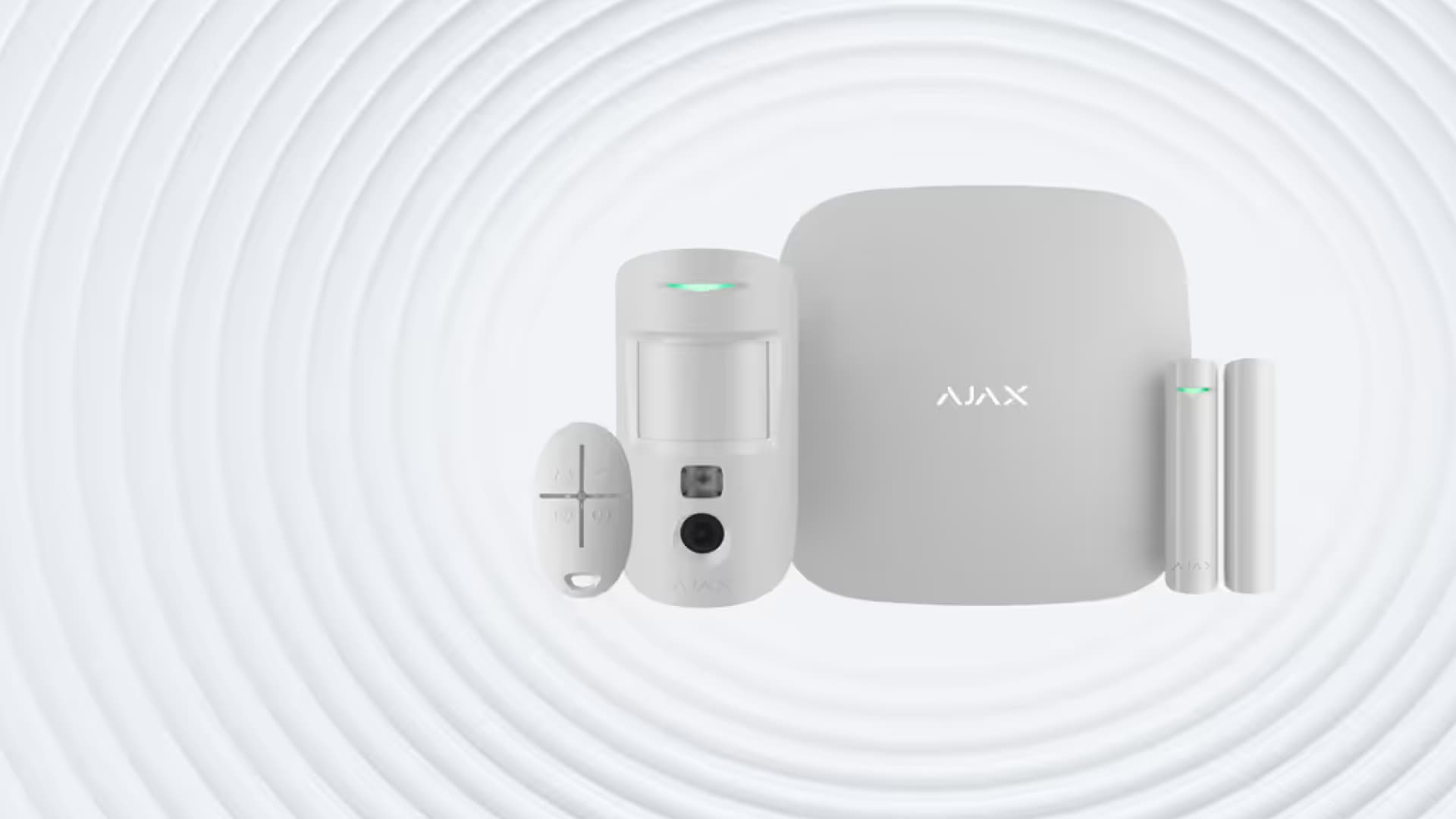
Ajax alarm systems are designed for modern, connected security. Instead of relying on one alarm panel and a few basic sensors, an Ajax setup can combine intrusion detection, app control, fire safety, leak alerts, sirens, video verification and automation into one smart security ecosystem.
For South African homes and businesses, that matters. You may need to secure a townhouse, freestanding home, shop, office, warehouse or mixed-use building, and each property has different risks. This guide explains how Ajax works, which components matter, and how to choose a setup that gives you practical protection without overcomplicating the installation.
What Is an Ajax Alarm System?
An Ajax alarm system is a wireless security system built around a central hub. The hub connects to Ajax detectors, sirens, keypads, remotes and selected security devices, then sends alerts through the Ajax app and supported communication channels.
The system is modular. You can start with a basic intrusion kit for doors and motion detection, then add fire detectors, leak sensors, sirens, range extenders, cameras or automation modules as your property needs change.
That modular structure makes Ajax useful for:
- apartments and townhouses
- freestanding homes
- home offices
- small shops and salons
- offices and showrooms
- warehouses and storage areas
- mixed residential and business premises
The key benefit is flexibility. A smaller property may only need a hub, keypad, motion detectors, door sensors and an indoor siren. A larger property may need range extenders, outdoor motion detection, multiple security groups, camera integration and a more detailed zone layout.
How Ajax Wireless Security Works
Ajax systems use wireless communication between the hub and connected devices. This reduces the need for long cable runs and makes the system neater to install, especially in finished homes, retail spaces and rental properties where chasing walls is not practical.
A typical Ajax setup works like this:
| Component | What it does |
|---|---|
| Hub | Central control unit that manages devices, users and alerts |
| Motion detector | Detects movement in protected rooms or zones |
| Door/window detector | Alerts when a protected opening is opened or disturbed |
| Glass break detector | Detects the sound pattern of breaking glass |
| Siren | Gives an audible warning when the alarm is triggered |
| Keypad or remote | Allows arming, disarming and panic-button control |
| Fire detector | Detects smoke, heat or carbon monoxide, depending on model |
| Leak detector | Alerts when water is detected in vulnerable areas |
| Range extender | Extends wireless coverage on larger properties |
Ajax’s Jeweller radio technology supports long-range wireless communication in open-space conditions, but real-world range depends on walls, concrete, metal, distance and interference. That is why correct device placement still matters, even with a wireless system.
Key Benefits of Ajax Alarm Systems
Wireless installation with less disruption
Wireless devices reduce visible cabling and usually make installation cleaner. This is useful in modern homes, offices and shops where appearance matters. It can also simplify retrofitting security into an existing building.
Wireless does not mean “no planning”. Device placement, signal strength, battery access, siren position and hub location still need to be considered carefully.
App-based control and alerts
The Ajax app lets users manage the system, check device status, receive alerts and control security modes. This is one of the main reasons Ajax appeals to homeowners and business owners who want visibility when they are away from the property.
Depending on setup, users can receive push notifications, calls or SMS alerts. App control also makes it easier to manage multiple users, which is useful for families, staff members, cleaners, tenants or security managers.
Scalable security
Ajax is not a one-size-fits-all alarm. You can build the system around your actual risk points:
- doors and windows
- passages and staircases
- garages and outbuildings
- server rooms and stock rooms
- kitchens, sculleries and bathrooms
- reception areas and showrooms
- perimeter-facing rooms
For larger homes or businesses, selected Ajax hubs support a higher number of devices, users, cameras and security groups. That means the system can grow with the building rather than being replaced every time your needs change.
Smart safety beyond burglary protection
Security is not only about intrusion. Ajax also supports life-safety and property-risk devices such as fire detectors and leak detectors. This can help protect against smoke, heat, carbon monoxide or water leaks, depending on the selected devices.
That matters in South African homes and businesses where one unnoticed leak, fire warning or electrical fault can cause expensive damage long before anyone physically reaches the property.
Better-looking security hardware
Ajax devices are designed to look clean and modern. That may sound like a small point, but it matters in visible spaces such as living rooms, entrance halls, showrooms, offices and boutique stores. The best security system is the one people are willing to use every day, and neat hardware helps.
Popular Ajax Devices and What They Do
Ajax Hub 2 Plus
The Ajax Hub 2 Plus is one of the central control options in the Ajax range. It manages connected devices, users, alerts and system communication. It supports multiple communication channels such as Ethernet, Wi-Fi and cellular connectivity, depending on setup and SIM availability.
Hub 2 Plus is suited to larger or more advanced systems because it can support more devices and users than entry-level control panels. It is a good fit for homes, offices, shops and commercial premises that need reliable app control and room to expand.
DoorProtect Plus
DoorProtect Plus is a wireless opening detector for doors and windows. It can help detect unauthorised opening, and model-specific features may also support shock and tilt detection. It is commonly used on entrance doors, sliding doors, windows, storeroom doors and other access points.
MotionProtect and motion detectors
Motion detectors are used to protect rooms, passages and open areas. Depending on the model, they can be chosen for indoor or outdoor use, pet-friendly settings, photo verification or more advanced detection requirements.
Correct positioning is essential. A motion detector placed in the wrong location can create blind spots or unnecessary false alarms.
HomeSiren
HomeSiren is a wireless indoor siren that alerts occupants and helps deter intruders when the alarm is triggered. Indoor sirens are useful in homes, offices and shops because they make an alarm event immediately obvious inside the property.
FireProtect 2
FireProtect 2 models are used for fire and life-safety detection. Depending on the selected model, they can detect smoke, heat and carbon monoxide. These devices are useful in kitchens, passages, offices, storerooms and other vulnerable areas where early warning matters.
LeaksProtect
LeaksProtect monitors areas where water leaks can cause damage. Typical locations include bathrooms, kitchens, laundry areas, server rooms, geyser cupboards and basements. When water is detected, the system can alert users before the issue becomes a costly repair.
ocBridge Plus and UartBridge
Ajax integration modules can help connect Ajax detectors with selected wired, hybrid or smart security systems. These are more technical components and should be specified by an installer who understands the existing alarm infrastructure.
Choosing the Right Ajax Setup
The right Ajax system depends on the property, the number of access points and how the space is used.
| Property type | Recommended focus |
|---|---|
| Apartment | Door protection, motion detection, indoor siren and app control |
| Freestanding home | Doors, windows, key living areas, garage, fire detection and leak detection |
| Townhouse | Entry points, patio doors, garage, passages and shared-boundary risks |
| Small shop | Front door, back door, tills, stock room, siren and user permissions |
| Office | Entry doors, reception, server room, storerooms and user access management |
| Warehouse | Wider coverage, range extenders, zones, sirens and selected camera integration |
A certified installer should assess the property before finalising the system. Security works best when it is designed around real movement patterns: where people enter, where valuables are stored, where blind spots exist, and what needs protection after hours.
Ajax for Homes
For homes, Ajax is useful because it is simple to control and can be expanded over time. A starter home setup may include:
- Hub or Hub 2 Plus
- KeyPad or remote control
- DoorProtect or DoorProtect Plus on main entrances
- MotionProtect in key living areas
- HomeSiren
- FireProtect 2 in selected risk areas
- LeaksProtect near water-risk points
The aim is not to cover every centimetre of the property. The aim is to create layers: perimeter, internal movement detection, audible warning and remote notification.
Ajax for Businesses
For businesses, Ajax becomes valuable because it can help manage users, zones and after-hours risks. A shop or office may need different arming groups for reception, staff areas, storage, cash points or server rooms.
Business installations should consider:
- who opens and closes the premises
- whether staff need individual access permissions
- where stock or equipment is stored
- whether a security company must receive events
- where cameras are needed for verification
- whether fire or leak detection is important
- how the system will behave during internet or power disruption
For commercial use, it is worth planning the system properly from the start rather than adding devices randomly later.
Installation: Why Placement Matters
Ajax is wireless, but installation still matters. A poor installation can create weak signal areas, missed detection zones, false alarms or awkward daily use.
A good installer will check:
- hub location and communication channels
- signal strength between devices
- detector height and angle
- door and window contact alignment
- siren placement
- battery access
- app setup and user permissions
- whether the property needs zones or security groups
- whether any devices need tamper protection or outdoor-rated hardware
For a deeper installation guide, read why using a certified installer matters.
Common Mistakes to Avoid
Do not choose devices only by price. A cheaper layout that misses key access points is not a saving.
Do not assume every detector is suitable outdoors. Outdoor devices need to be selected for outdoor conditions, sunlight, pets, wind movement and weather exposure.
Do not place motion sensors opposite moving curtains, direct sun patches or heat sources. Poor placement causes false alarms.
Do not forget water and fire risks. Burglary protection is important, but smoke, heat, carbon monoxide and leaks can be just as damaging.
Do not leave user permissions unmanaged. If staff, tenants or contractors leave, update access immediately.
Internal Links
- Home Security Systems 101
- Choosing the right home security system
- Why using a certified installer matters
- Browse home security products
- Submit a product enquiry
FAQ: Ajax Alarm Systems in South Africa
What is an Ajax alarm system?
An Ajax alarm system is a wireless smart security system that connects detectors, sirens, keypads, cameras and safety sensors to a central hub. It can protect against intrusion, fire risks and water leaks, depending on the devices installed. Users can manage the system through the Ajax app and receive alerts when events occur. The exact features depend on the hub and devices selected.
Can Ajax alarm systems be used for businesses?
Yes, Ajax alarm systems can be used for homes, offices, shops, warehouses and other business premises. Larger systems can be designed with multiple users, zones and security groups, which is useful for staff access and after-hours protection. A business installation should be planned by a qualified installer to make sure coverage, communication and permissions are set up correctly.
Does Ajax work during a power outage?
Ajax hubs include backup battery support, but the actual backup time depends on the hub model, network settings and system configuration. Battery-powered detectors can continue operating independently of mains power, while the hub keeps the system connected for as long as its backup power allows. For business-critical sites, discuss backup power and communication redundancy with your installer.
What is the wireless range of Ajax devices?
Some Ajax wireless devices can communicate up to 2,000 metres from the hub in open-space conditions, but real-world range is usually lower inside buildings. Walls, reinforced concrete, metal roofing, electrical interference and distance all affect signal strength. Larger properties may need a range extender such as ReX or ReX 2 to maintain reliable communication.
Do I need professional installation for Ajax?
Professional installation is strongly recommended for Ajax alarm systems. Although Ajax devices are designed to be user-friendly, security performance depends heavily on correct placement, signal testing, device selection, user permissions and app configuration. A professional installation helps reduce false alarms, avoid blind spots and ensure the system matches the property’s actual risks.
Help Article: How to Choose an Ajax Alarm System
Short-form guide | 3 min read | Category: Product Help → Security
Choosing an Ajax alarm system starts with the property, not the product list. The right setup depends on what you need to protect, how people move through the space and what risks matter most.
Step 1: List the entry points
Start with front doors, back doors, sliding doors, garage doors and accessible windows. These normally need door or opening detectors.
Step 2: Identify movement areas
Protect passages, living areas, reception spaces, stock rooms and offices with motion detectors. Avoid placing detectors where pets, moving curtains or direct sunlight may trigger unnecessary alarms.
Step 3: Add sirens and app control
An indoor siren gives an immediate audible warning. App control helps you arm, disarm and monitor the system remotely.
Step 4: Add safety devices
For better protection, consider fire detectors, carbon monoxide detection where applicable, and leak detectors near water-risk areas.
Step 5: Plan for growth
If the property may expand or needs several users, choose a hub that gives you enough room for extra devices, cameras and user permissions later.
Step 6: Use a certified installer
A certified installer can test wireless signal strength, configure devices correctly and make sure the system covers the property properly.
Related: Home Security Systems 101 | Why using a certified installer matters | Browse home security products